
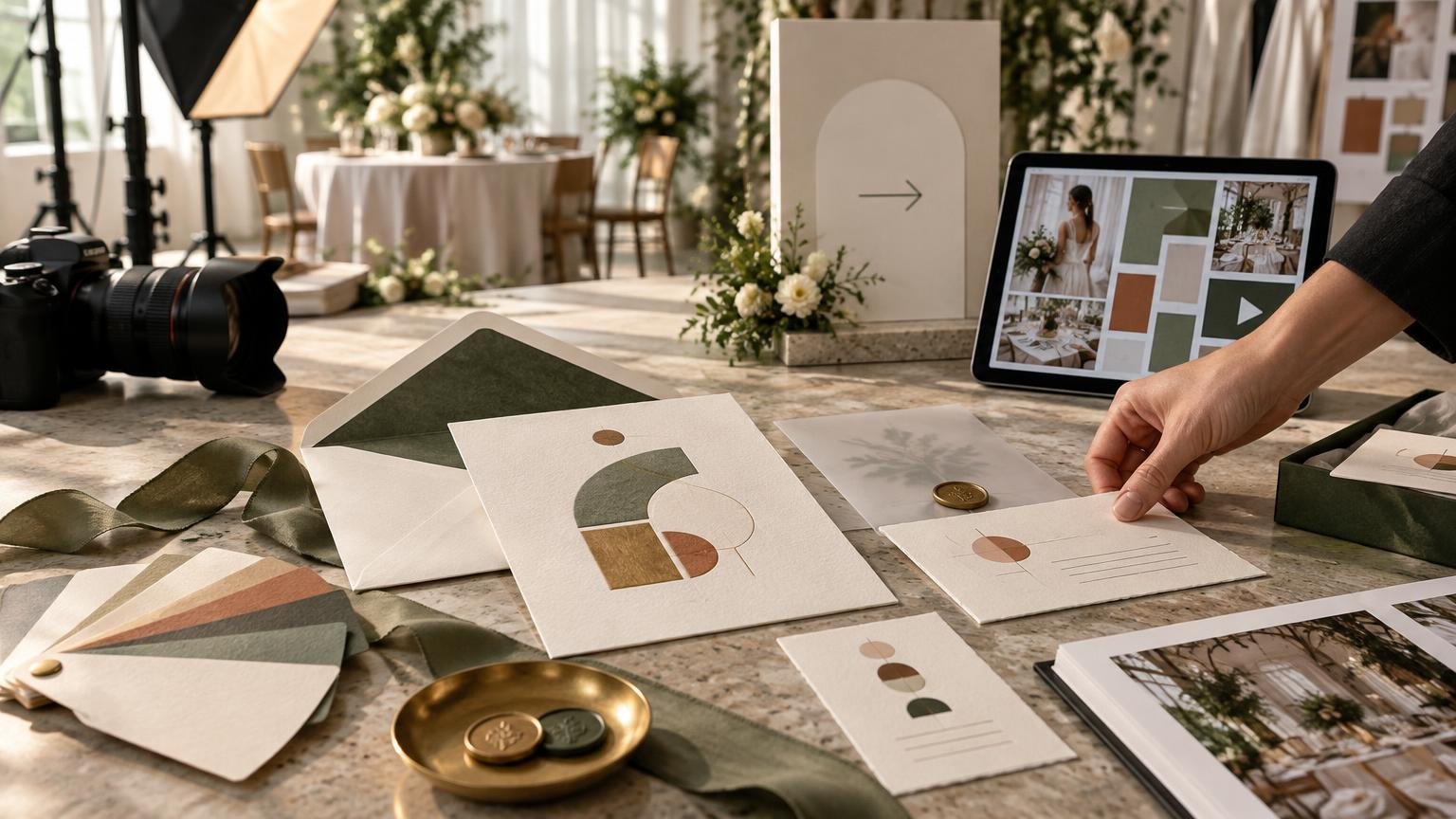
An invitation should do more than announce a date. For a venue, planner or event brand, it is the first physical expression of the experience being promised. The format, paper, typography, envelope and supporting inserts all tell guests what kind of occasion to expect—and whether the people behind it have thought through the details.
The strategic goal is not to make every invitation expensive. It is to make the suite coherent, useful and recognizably connected to the event. Spend first on message hierarchy, legibility and production reliability. Add premium materials or finishes only when they reinforce the concept and survive the realities of mailing, handling and budget.
TLDR: Treat the invitation as the opening scene
Build the invitation suite as the first stage of the attendee journey. Establish one visual idea, adapt it across the invitation, envelope, inserts, RSVP experience and event-day stationery, and give each piece a specific communication job. Review the complete package for postal compatibility before approving decorative elements. Then carry the same hierarchy and language into email, registration pages, signage and follow-up rather than forcing one static design onto every channel.
The invitation sets expectations before the venue does
Guests encounter the event long before they enter the room. A mailed invitation may be followed by a registration page, confirmation email, reminder text, parking message, welcome sign and place card. Those are not isolated assets. Together, they form a sequence that moves someone from awareness to decision, preparation, arrival and participation.
That sequence matters because an event is judged as a complete experience. PCMA identifies attendee satisfaction, engagement, message retention, brand perception, networking success and community building as possible return-on-events measurement categories. Those measures do not prove that premium stationery causes a better event, but they do establish why every guest-facing touchpoint deserves a defined role. PCMA’s return-on-events guidance offers a useful framework for deciding what the experience is meant to accomplish.
The invitation’s role is to introduce that experience with the right expectations. A black-tie wedding, relaxed destination celebration, executive dinner and public fundraiser should not sound or look interchangeable. The design needs to signal the occasion quickly while giving guests enough practical information to respond confidently.
Create one idea, not a pile of matching objects
Coordination is not the same as duplication. Repeating the same border, monogram and background texture on every item can produce a matched set, but it does not necessarily produce a communication system. Start instead with a small group of controlled brand elements:
- A clear event name or signature line that survives at small sizes.
- A defined typographic hierarchy for event name, hosts, date, location and instructions.
- A restrained color palette that can be reproduced consistently in print and digital media.
- One recognizable visual device, such as a line pattern, illustration style, crest or geometric frame.
- A voice guide covering formality, capitalization, dates, dress language and calls to action.
Once those elements are established, adapt them to the job of each asset. The main invitation carries the emotional and ceremonial weight. A direction card prioritizes fast scanning. An RSVP page needs obvious actions. A place card needs a guest name that can be read across a table. A welcome sign needs scale and contrast. Consistency comes from shared decisions, not identical layouts.
For organizations that run many events, convert the durable elements into a controlled template system. A reusable production template library can preserve typography, approved marks and recurring information fields while leaving room for a gala, conference or wedding to develop its own character.
Give every part of the invitation suite a job
A strong suite separates emotional persuasion from logistical detail. Trying to fit every instruction onto the hero invitation weakens its hierarchy and makes later changes painful. Use supporting pieces deliberately rather than treating them as decorative extras.
| Component | Primary job | Design priority |
|---|---|---|
| Main invitation | Establish the occasion and communicate essential details | Hierarchy, tone and immediate recognition |
| Outer envelope | Protect the contents and create the first physical impression | Address legibility, durability and postal compatibility |
| Reply card or RSVP direction | Tell the guest exactly how and when to respond | Clear action, deadline and response method |
| Details insert | Explain travel, accommodations, dress or schedule information | Scannable sections and concise language |
| Direction or parking card | Reduce friction at arrival | Landmarks, access instructions and emergency contact details |
| Event-day stationery | Continue the visual system inside the experience | Readability at the distance and lighting conditions of use |
Not every event needs every component. A simple local reception may need one invitation and a digital RSVP. A destination wedding may justify separate travel and weekend-schedule inserts. A venue open house may use a compact invitation that sends recipients to a registration page. Add a piece when it makes the guest’s next action easier or gives important information the space it needs.
Use the envelope as both a brand surface and a production constraint
The envelope creates anticipation, but it also determines whether the entire concept can move through the mail as planned. Color, liner art and return-address styling can extend the visual language. The delivery address, postage area, closure and physical profile still need to function.
For U.S. domestic mail, USPS lists letter dimensions from 5 to 11.5 inches long, 3.5 to 6.125 inches high and no more than 0.25 inch thick. Large envelopes use different limits: more than 11.5 and up to 15 inches long, more than 6.125 and up to 12 inches high, and no more than 0.75 inch thick. Check the current USPS domestic mailing guidance against the assembled piece rather than evaluating the empty envelope alone.
Machinable letter-size mail must also be rectangular and meet a length-to-height aspect ratio between 1.3 and 2.5. Letter pieces over 4.25 inches high or 6 inches long have a stated minimum thickness of 0.009 inch, while maximum letter thickness is 0.25 inch. Applicable thickness and automation failures can make a piece nonmachinable.
This is where fashionable details can become expensive details. Loose inserts, rigid components, bulky knots, uneven embellishments, wax seals and unconventional closures require postal and fulfillment review. USPS prohibits rigid objects such as pens, keys and bottle caps inside letter mailpieces, while flat-size pieces remain subject to flexibility and uniform-thickness standards. A rigid or substantially uneven mailer may be treated as a parcel.
Prototype the finished package with the actual paper, inserts, closure and embellishments. Weigh and measure it in its assembled state. If the mailing is large or the design is unusual, have the mailpiece reviewed before the full production run. Visual approval is not postal approval.
Choose paper and finishes according to the experience
Paper changes how an invitation feels before the recipient reads a word. A substantial uncoated stock can suggest restraint, ceremony or craft. A smooth stock can support crisp type and saturated imagery. Texture may add personality, but very small lettering, delicate rules and fine photographic detail require careful proofing on heavily textured surfaces.
Specialty finishes should have a defined creative purpose. Foil can emphasize a name or symbol. Embossing can add tactile hierarchy without adding another ink color. Die cutting can create a distinctive silhouette. Edge treatments can turn a thick card into an object. None of these automatically makes the communication better. Each also affects cost, scheduling, tolerances, mailing profile or all four.
For a venue or planner, the practical question is whether the upgrade supports the positioning being sold. A distinctive architectural venue might translate a façade detail into blind embossing. A garden planner might use an original botanical illustration across the liner, menu and escort cards. A modern conference brand may benefit more from excellent typography and disciplined information design than ornamental production.
When the concept is ready for specification and ordering, Print Invitations wedding invitation and coordinated stationery production provides a relevant path from campaign idea to physical suite. Confirm the chosen stock, size, finish, quantity, proofing process and turnaround for the specific job before releasing artwork.
Design inserts around guest questions
Inserts work best when they answer predictable questions in the order guests will ask them. What is happening? When and where? How do I respond? What should I wear? Where do I park or stay? Is there a schedule beyond the main event?
Keep each insert focused. Use short headings, grouped details and one primary action. If information is likely to change—transport times, room availability or weather instructions—send guests to a maintained digital destination rather than freezing volatile details into a long print run. The printed piece can establish the official path; the digital channel can carry updates.
QR codes may provide convenience, but they should not be the only route to essential information. Include a readable web address or another response method when appropriate. Test the final code at printed size, on the actual stock, under ordinary lighting and with more than one device. Decorative integration is secondary to successful scanning.
Carry the system from mailbox to arrival
The printed invitation and digital campaign should feel related without being carbon copies. Email subject lines need clarity that an envelope can imply visually. Mobile registration pages need larger controls and simpler navigation. Reminder texts need brevity. Signage needs scale. Preserve the event’s language, colors and hierarchy while adapting composition to each channel.
Map the communication sequence before production begins. A useful workflow may include save-the-date, formal invitation, RSVP confirmation, deadline reminder, event-week update, arrival guidance and post-event follow-up. The invitation and reminder campaign workflow shows how print, email, text and RSVP pages can be coordinated around one timeline.
This planning also prevents contradictory details. Maintain one approved source for dates, venue names, addresses, schedules, dress instructions and response deadlines. Assign an owner to each field and define when the information becomes locked for print. Digital assets can change quickly; printed assets cannot. Build the approval calendar around that difference, and allow additional time when custom paper, finishing, hand assembly or complex fulfillment is involved. A broader creative and print planning timeline can help teams work backward from the event date.
Prepare files for production, not just presentation
A screen PDF that looks correct is not automatically a production-ready file. Confirm the final trim size, bleed, safe areas, color requirements, image resolution, font handling, variable-data setup and finishing layers with the selected printer.
Bleed extends artwork beyond the final trim so small cutting variation does not expose an unintended white edge. Adobe identifies 0.125 inch, or 3 mm, as a standard value while noting that a print provider may require more. Its guidance recommends an Adobe PDF (Print) handoff using the provider’s specified preset and including document bleed settings when required. Adobe’s print-bleed guidance explains the setup and export steps.
Do not place essential type, borders or fine decorative elements directly against the trim. Tight borders make normal cutting variation more visible, while critical text near a fold, die-cut edge or envelope seam can become difficult to read. Request a physical proof when paper color, texture, finishing registration or small typography materially affects the concept.
Printer’s marks are production tools, not decorative marks. Trim marks indicate cutting boundaries, registration marks support alignment of color separations, and color bars assist press-side ink-density adjustment. Include them only as requested by the production provider.
Measure the journey, not the paper alone
Premium paper, specialty finishes and coordinated stationery can strengthen perception, but the available evidence does not establish that these choices alone increase attendance, satisfaction or return rates. Evaluate the invitation suite according to the job it was designed to perform.
- Response quality: Did guests understand how and when to RSVP?
- Journey clarity: Did the team receive fewer avoidable questions about timing, attire, parking or access?
- Brand recognition: Did the invitation establish visual cues that remained useful at the event?
- Operational accuracy: Were names, addresses, schedules and quantities handled without preventable reprints?
- Channel continuity: Did print, email, registration pages and event-day assets present consistent information?
- Production performance: Did the suite stay within budget, schedule, postal and assembly requirements?
For venues and planners, these observations can improve the next project. Repeated guest questions reveal weak information design. Last-minute reprints reveal approval or data problems. Unused inserts reveal unnecessary complexity. Strong systems become templates; weak steps become workflow changes.
A practical invitation-suite checklist
- Define the experience the invitation should signal in one sentence.
- List the guest actions and questions that the suite must address.
- Assign one communication job to each printed and digital asset.
- Establish shared typography, color, imagery and voice rules.
- Build the invitation, envelope and inserts as one assembled package.
- Check readability, names, dates, addresses, URLs and response deadlines.
- Verify trim, bleed, safe areas, color, finishing and export requirements with the printer.
- Measure and review the assembled mailpiece for postal compatibility.
- Approve a physical proof when material or finishing choices are consequential.
- Coordinate print delivery with email, RSVP, reminder and event-day milestones.
- Record response friction, guest questions and production issues for the next event.
Make the first touchpoint earn its place
The best invitation suite is not the one with the most pieces or the most expensive finish. It is the one that introduces the event clearly, makes the next action obvious and establishes a visual language that can carry through the full guest experience.
Venues and planners should treat invitation design as both brand work and operational work. Start with the promise, organize the information, adapt the system across channels and validate the physical package before production. When those decisions align, the invitation stops being a decorative announcement and becomes a functional opening chapter of the event.
References
- How to Navigate the ‘Sticky Spot’ of Measuring ROE
- What Are You Mailing? Domestic | Postal Explorer
- 200 Commercial Letters, Flats, and Parcels Design Standards | Postal Explorer
- Adobe Learn – Learn InDesign – Set a print bleed
- How to add printer’s marks and bleeds in Illustrator | Illustrator
- Event and hospitality trends 2026 | Cvent